

- KIA Connect
KIA CONNECT
Convenience, Comfort, Control
Disclaimer
Purchase/lease of a 2025 Kia with Kia Connect includes a complimentary 3-year subscription starting from new vehicle retail sale/lease date as recorded by the dealer. After your complimentary 3-year Kia Connect subscription expires, continued access to the full suite of Kia Connect services available on your Kia will require a paid subscription at the then-current subscription rate, or your use of certain Kia Connect features may immediately terminate. Use of Kia Connect is subject to agreement to the Kia Connect Privacy Policy (available at Privacy Policy) and Terms of Service (available at Terms of Service). Complimentary Kia Connect subscription is transferable to subsequent owner during the original Kia Connect service term. Only use Kia Connect when safe to do so. Kia Connect may currently be unavailable for Model Year 2022 and newer vehicles sold or purchased in Massachusetts; please see the Kia Owner’s Portal for updates on availability. Kia Access App is available from the Apple® App Store® or Google Play Store™. Kia America, Inc. reserves the right to change or discontinue Kia Connect at any time without prior notification or incurring any future obligation. Message and data rates may apply. Cellular and GPS coverage is required to use most features. Kia Connect features may vary by model, model year, and trim level. Features, specifications, and fees are subject to change. For more on details and limitations, visit SUVs, Sedans, Sports Cars, Hybrids, EVs & Luxury Cars | Kia or your authorized Kia dealer. Apple® and App Store® are registered trademarks of Apple Inc. Google™ and its logos are trademarks of Google LLC or its affiliates.
Drive In Sync
Kia Connect elevates your ownership experience with advanced features that keep you comfortable, connected, and in control. Keep your infotainment and navigation up to date with Over-the-Air Updates, get advanced assistance on the road with Kia's AI Voice Assistant, and so much more.

Kia Connect Highlights
Equipped for the Road Ahead
Click any title to learn more:
Remote Start & Climate Control
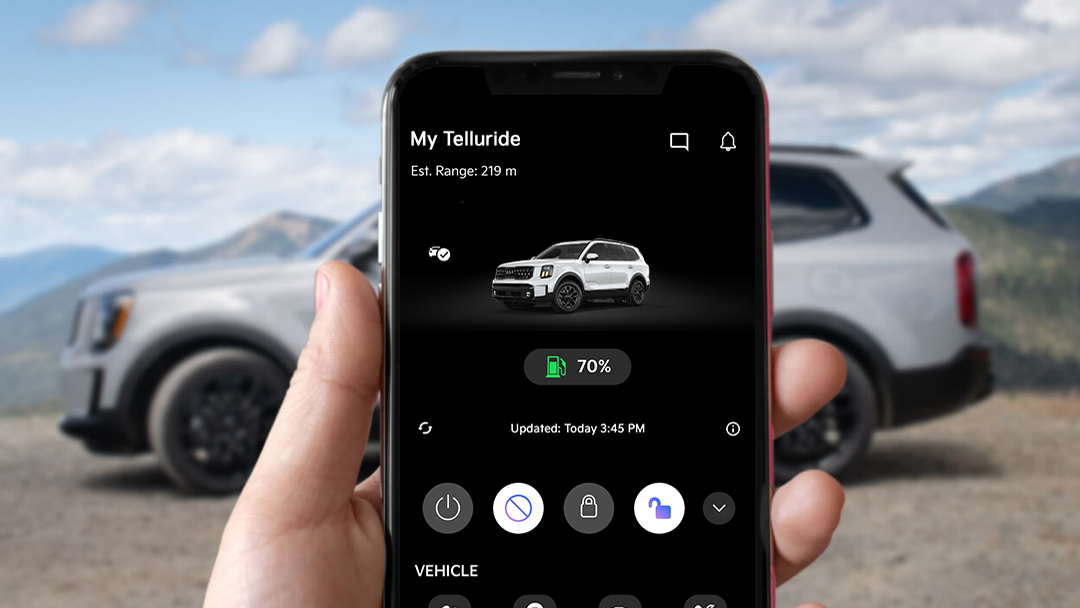
Start your vehicle remotely, and set the cabin temperature before you even step inside.
Disclosure
Remote features require a Kia Connect subscription, a compatible smartphone, and a wireless signal with good coverage to function. Normal cellular service rates may apply. Do not use Remote Climate Control or Remote Start if vehicle is in an enclosed area (e.g., closed garage) or a partially enclosed area without ventilation. Close all doors leading from adjacent living areas to the vehicle area before executing a Remote Climate Control or Remote Start command. Remote feature support varies by model, model year, and trim.
Simulated screen shown.

Digital Key 2.0
Take advantage of keyless entry and the ability to share your keys virtually with family and friends.
Learn More
Disclosure
Kia Digital Key 2.0 requires an eligible Kia Connect subscription and a compatible smart device with an active data plan. Normal cellular service rates may apply when using a smart device.
Simulated screen shown.

Find My Car
Conveniently locate and get directions to your car on demand for peace of mind.
Disclosure
Find My Car requires cellular coverage and a compatible smartphone with Kia Connect app. Cellular service rates apply.
Simulated screen shown.

Voice Assistant
Connect with Amazon Alexa and use voice commands for features like Remote Start and Climate Control.
Disclosure
Vehicle compatibility varies by model, model year, and trim. Amazon devices are sold separately and require a Wi-Fi internet connection.
Amazon®, Alexa®, and all related logos are trademarks of Amazon.com. Spend less. Smile more., Inc. or its affiliates.
Remote features require a Kia Connect subscription, a compatible smartphone, and a wireless signal with good coverage to function. Normal cellular service rates may apply. Do not use Remote Climate Control or Remote Start if vehicle is in an enclosed area (e.g., closed garage) or a partially enclosed area without ventilation. Close all doors leading from adjacent living areas to the vehicle area before executing a Remote Climate Control or Remote Start command. Remote feature support varies by model, model year, and trim.

Smartwatch App
Available for iOS and Android, access vehicle information and remote features at your fingertips by pairing your compatible smartwatch to a mobile device with the Kia Access App.
Disclosure
Kia Connect smartwatch app requires a compatible smartwatch and Kia Connect subscription and account. Kia America, Inc. reserves the right to change or discontinue Kia Connect at any time without prior notification or incurring any future obligation. Message and data rates may apply. Cellular and GPS coverage is required to use most features. Kia Connect features may vary by model, model year, and trim level. Features, specifications, and fees are subject to change.

Rear Occupant Alert
Get an alert to your smartphone if movement is detected inside your Kia after you lock your doors.
Disclosure
If equipped. Rear Occupant Alert notifications require an applicable Kia Connect subscription, a compatible smartphone, and a wireless signal with good coverage to function. Normal cellular service rates may apply. This system is not a substitute for one’s attention and may not detect all movement within the vehicle. Always check the vehicle interior when exiting the vehicle.
Simulated screen shown.

Remote Lock & Unlock
Get an alert to your smartphone if movement is detected inside your Kia after you lock your doors.
Disclosure
If equipped. Rear Occupant Alert notifications require an applicable Kia Connect subscription, a compatible smartphone, and a wireless signal with good coverage to function. Normal cellular service rates may apply. This system is not a substitute for one’s attention and may not detect all movement within the vehicle. Always check the vehicle interior when exiting the vehicle.
Simulated screen shown.

Connected Routing
Real-time traffic data improves the accuracy and efficiency of your route for arrival time accuracy and fewer surprises along the way.
Disclosure
Distracted driving can result in a loss of vehicle control. Never use a handheld device or vehicle system that takes your focus away from safe vehicle operation. The Connecting Routing navigation feature is for information purposes only, and Kia does not make any warranties about the accuracy of the information.


Unlock More in Store
Level up your Kia’s capability, style, and performance with exclusive features available for purchase through the Kia Connect Store.
Visit KIA CONNECT StoreGet Started in the Kia Access App
Download the Kia Access App to unlock your Kia Connect features and dive into the many benefits waiting for you in the Kia Connect community.



How To Activate
1. Download the App
Download the Kia Access App from your preferred app store, and log in or create an account.
2. Connect Your Kia
Connect to your Kia by entering your VIN, and request a verification code to activate Kia Connect.
3. Activate Kia Connect
Inside your Kia, select "Activate Kia Connect" on your dashboard touchscreen display and enter the verification code you received.
4. Verify Connection
Select "I have entered the verification code" on your mobile device to verify your activation, and start enjoying your Kia Connect features.
 Warranties include 10-year/100,000-mile powertrain and 5-year/60,000-mile basic. All warranties and roadside assistance are limited. See retailer for warranty details.